






This article covers the steps on how to setup cPanel in WHMCS for a Domains.co.za Reseller account.
How to Setup cPanel in WHMCS as a Reseller
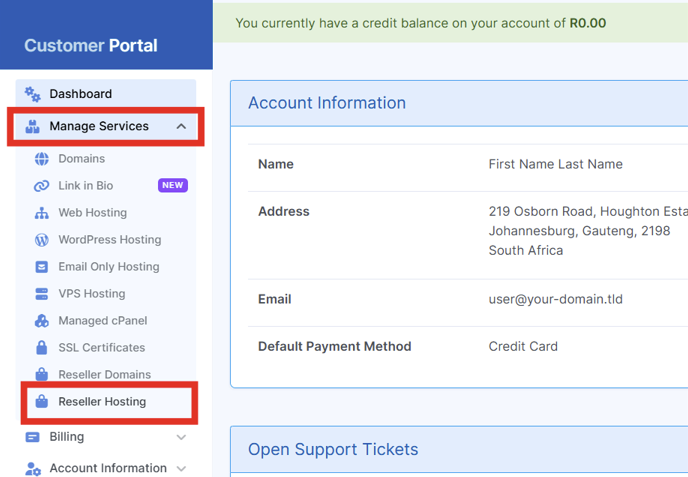
1. Login to our Domains.co.za Client Login and select Manage Services and select Reseller Hosting
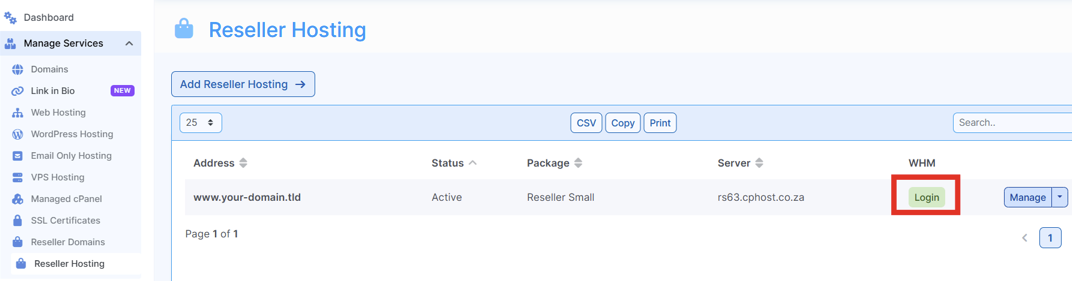
2. Click Login
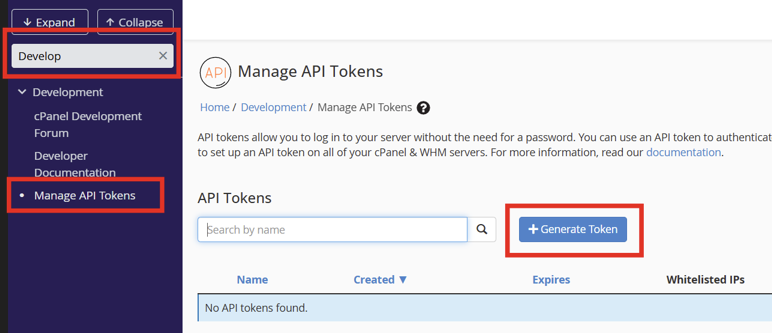
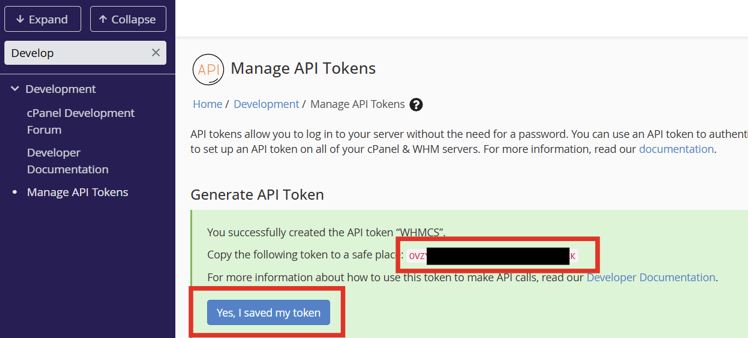
3. Navigate to Development – select Manage API Tokens and click Generate Token
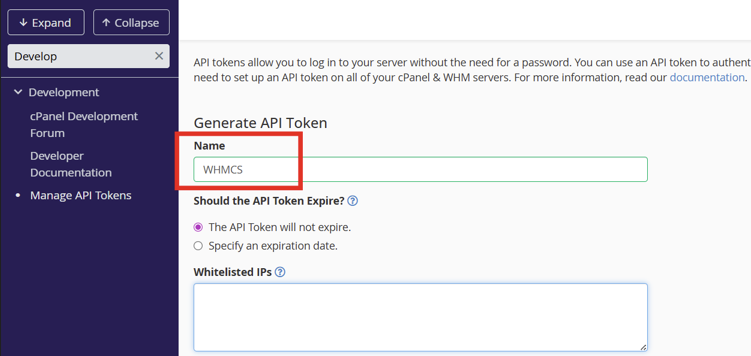
4. Enter a name for the API Token (Key) and scroll down to the end
5. Copy the Access Token as displayed in the Generate API Token box and save in a safe place, then click Yes, I saved my token.
6. Login to the WHMCS Admin Area and Navigate to Settings > System Settings > Servers and click on Add New Server
* if you do not have a server group configured, create one.
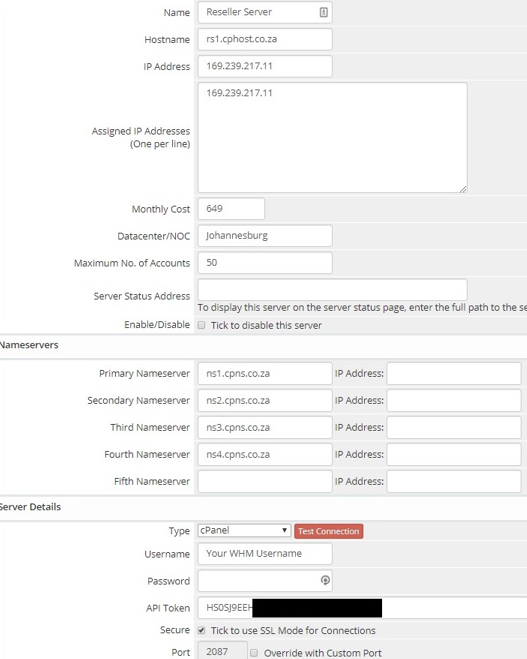
7. You will be presented with the following screen where the server details need to be entered.
- Name: This is your chosen name for the server.
- Hostname: This is the hostname of the server.
- IP Address: This is the IP Address assigned to your account in the Reseller Welcome Email.
- Assigned IP Addresses: The same as above, unless you have been given additional dedicated IP addresses.
- Monthly Cost: You can enter your monthly cost for the server.
- Maximum No of Accounts: This is the amount of accounts your Reseller account is limited too.
- Name Servers: This will be dependent on the Reseller Server you are hosted on:
  (rs3.cphost.co.za - rs54.cphost.co.za)
  Primary Nameserver: ns1.cpns.co.za
  Secondary Nameserver: ns2.cpns.co.za
        ns1.cpns.co.za
        ns2.cpns.co.za
        ns3.cpns.co.za
        ns4.cpns.co.za

 (rs60.cphost.co.za upwards)
 Primary Nameserver: ns1.cpns.host
 Secondary Nameserver: ns2.cpns.zone
      ns1.cpns.host
      ns2.cpns.zone
      ns3.cpns.host
ns4.cpns.zone- Type: CPanel or CPanelExtended
- Username: Your Reseller Username
- Password: Leave Blank
- Access Hash: This is the Remote Access Hash which is copied in step 2.
- Secure: Tick this box
8. Click on the Save button when you are done. You can now configure your Hosting Packages to utilise your Reseller Account.


