





This tutorial will guide you through setting up API access in WHMCS for https://cp.resellerpanel.co.za
TABLE OF CONTENTS
IMPORTANT:
Please note that this WHMCS integration is for billing that is setup by a Registrar on the Domains.co.za EPP platform for their Resellers to pay for top ups.
How To Integrate WHMCS For Reseller Billing
1. Login to the WHMCS Admin Area
2. Navigate to Setup > General Settings > Security
3. Add the following IP Ranges to the API IP Access Restriction
41.76.104.0/25
2c0f:f850:dc03:a::0/64
4. Click Save Changes

Setup Administrative Roles
5. Navigate to Setup > Staff Management > Administrative Roles
6. Click Add New Role Group
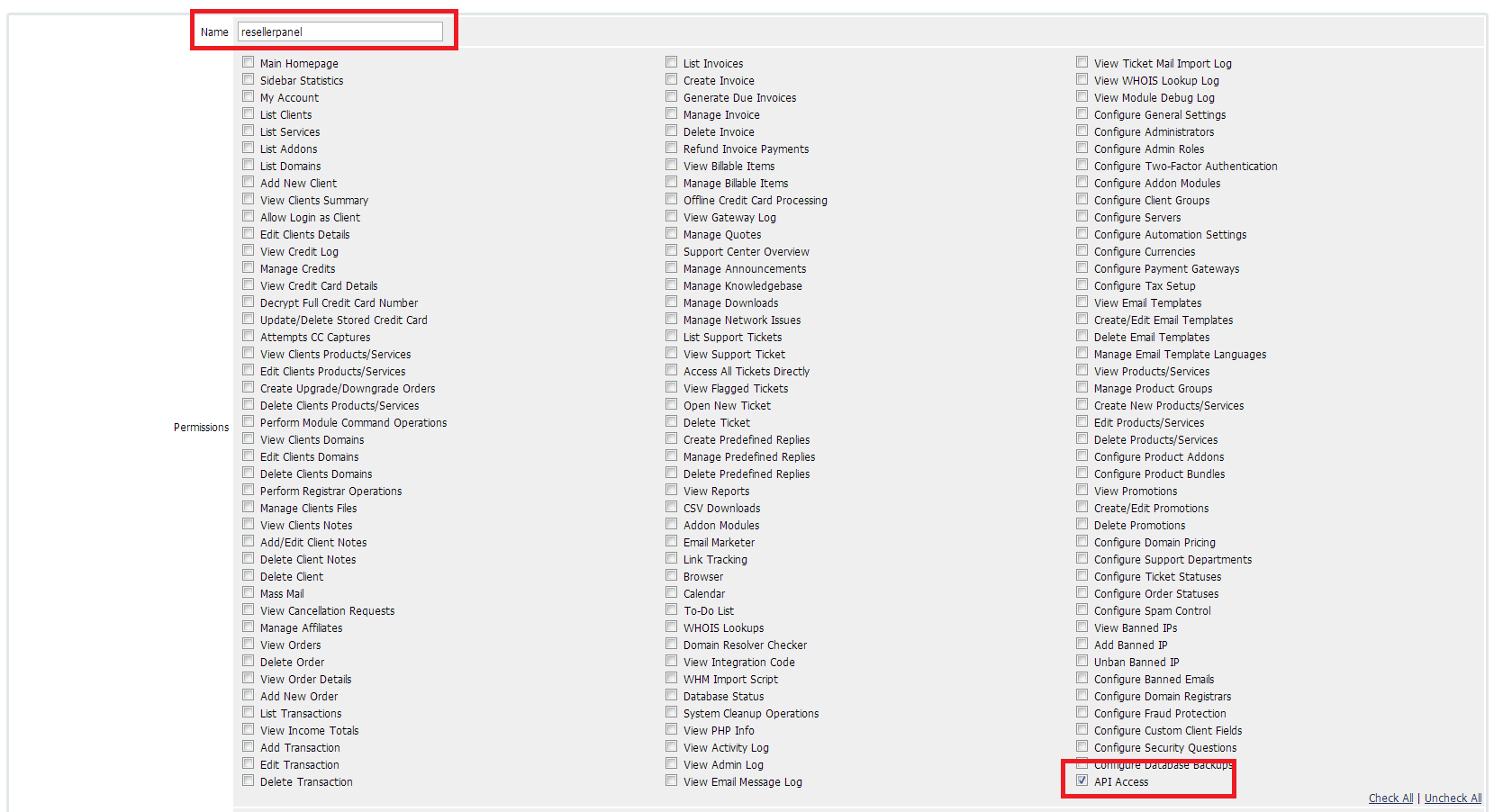
7. Provide a group name ResellerPanel and click Continue
8. Select the API Access permission from the list of permissions
9. Click Save Changes
Setup Administrative Users
10. Navigate to Setup > Staff Management > Administrator Users
11. Click Add New Administrator
12. Select the Administrator Role created previously (ResellerPanel).
13. Fill in the following details:
- First Name : Reseller
- Last Name : Panel
- Email Address : whmcs@resellerpanel.co.za
- Username : resellerpanel
- Password : your_desired_password
All other information, including assigned departments MUST remain blank.
14. Click Save Changes

Setup Reseller Billing
15. Login to https://cp.resellerpanel.co.za and navigate to Resellers > Billing Setup
16. Enable WHMCS Integration
17. Enter the URL to your WHMCS api.php (usually http://www.site.co.za/whmcs/includes/api.php).
18. Enter the API Username and API Password created from above.
The Email Notifications field allows invoice and payment notifications to be sent to the WHMCS client on creation.


