





This article walks you through how to enable Domains Reseller 2FA in the Reseller Control Panel provided by Domains.co.za.
Security is a top priority for anyone managing domains, and enabling Two-Factor Authentication (2FA) is one of the most important layers of protection for your DOmains.co.za Reseller account. It helps prevent unauthorized access by requiring a second form of verification in addition to your password, thus giving you stronger account security.
TABLE OF CONTENTS
How To Enable The Domains Reseller 2FA (Two-Factor Authentication) In The Control Panel
1. Login to Domains Reseller Account.
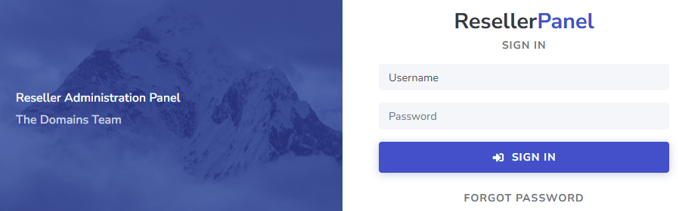
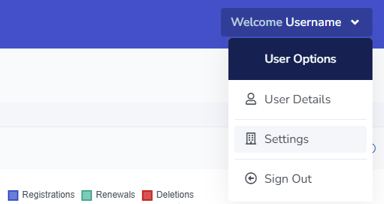
2. Select Username and then select Settings
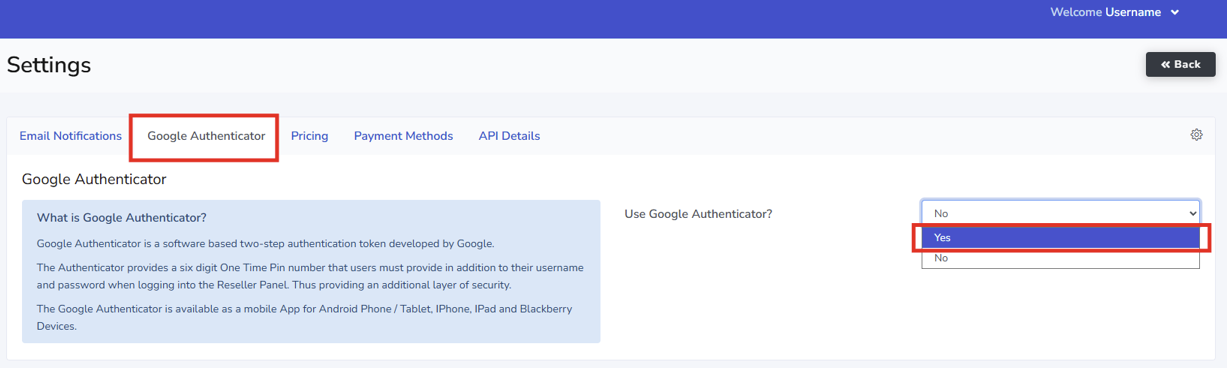
3. Select Google Authenticator
4. Change the Use Google Authenticator drop-down to Yes and follow the instructions.
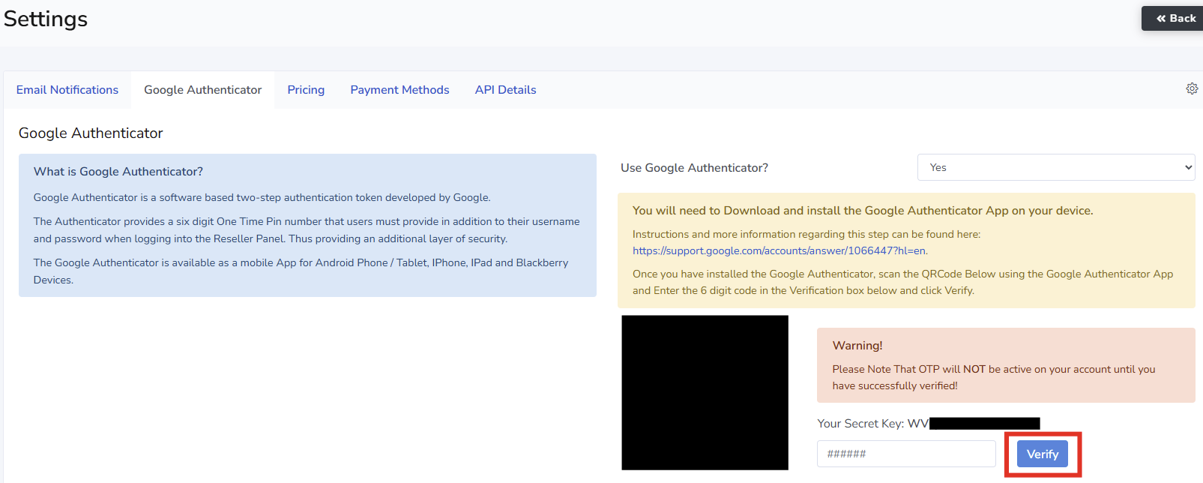
5. Enter the Verification Code displayed on the app under Your Secret Key and select Verify
Enabling Two-Factor Authentication in the Domains Reseller Control Panel is a simple but powerful way to safeguard your account against unauthorized access. By following the steps outlined above, you’ll significantly strengthen your login security and protect the domains and services you manage through www.domains.co.za. If you have any questions or need help, be sure to reach out to support for further assistance.
Additional Information
The Domains Reseller Control Panel is a powerful management interface designed for resellers to efficiently administer domain registrations, DNS settings, account security, and other key services. Whether you’re adding new domains, updating settings, or managing customer accounts, the control panel gives you the tools you need in one central location. The Domains.co.za user-friendly Reseller Control Panel is designed to help you make the most of your Reseller experience with us.
Domains Reseller API Interface
We provide all our Resellers full access to our custom built RESTful API (uses JWT tokens for authentication). You can integrate into your own CRM, billing system, and website; enabling automated Domain Management inside your custom software solution.
Here is the link to the Domains.co.za API Documentation.
Domains Reseller WHMCS Module
As a Reseller you will be provided the Domains.co.za’s WHMCS Module at no additional cost to yourself. The module automates of domain Registrations, Transfers and Renewals through the WHMCS Billing Control Panel.
Here is the link for more information on the WHMCS API Integration.
Domains Reseller White Label Platform
We have a custom built, white-labelled Control Panel, so you can manage your customers’ domains, under your own company name. Register, transfer, renew and update nameservers easily, and if you don’t have your own nameserver, we offer a free Premium DNS service.


