





In this article we show you how to change Reseller Notification Settings in the Domains Reseller Control Panel. You can customise exactly what notifications you want to receive; from domain expirations and billing alerts to service updates and security notices.
TABLE OF CONTENTS
How To Change Domains Reseller Notification Settings
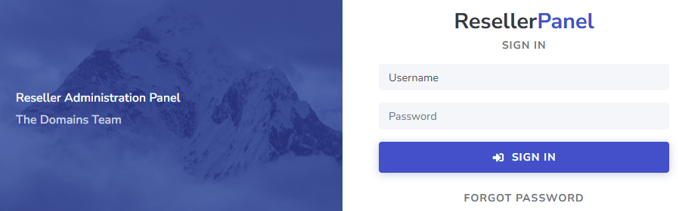
1. Login to Domains Reseller Account
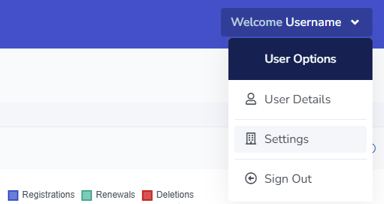
2. Select Username and click on Settings
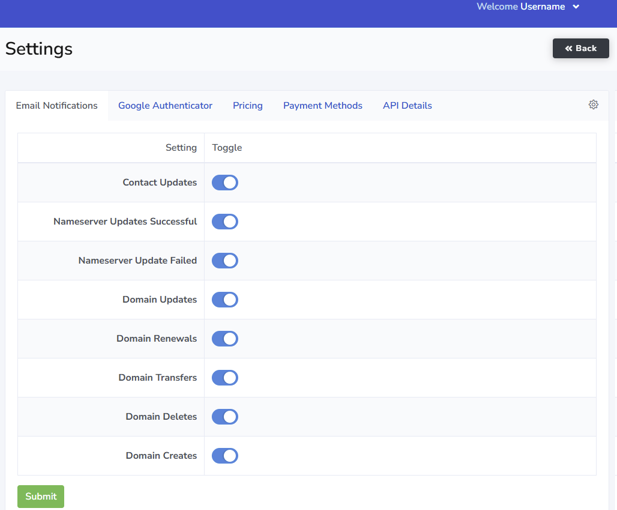
3. Toggle the required Notification Settings, On or Off
About Domains Reseller White Label Platform
A custom built, white-labelled Control Panel, so you can easily manage your customers’ accounts, domains, DNS settings, transfers, everything you need for secure and efficient domain management; under your own company name. Domain registrations and transfers, renewals and nameserver updates, we also offer a free Premium DNS service.
Additional Information
The Domains Reseller Control Panel is designed to assist you in efficiently administering your clients, managing domain registrations, DNS settings and other services. Whatever you need to do as a Domains Reseller, our user-friendly control panel gives you the tools you need in one central location.
Here are the handy links for our API Interface document, the WHMCS module, so you can easily integrate into your current systems.
Domains Reseller API Interface
All Resellers have full access to the Domains.co.za custom built RESTful API – the API utilises JWT tokens for authenticating. The API allows for integration into our Resellers’ CRMs, billing systems, and websites; thus enabling automated Domain Management inside your custom software solution.
Here is the link to the Domains.co.za API Documentation.
Domains Reseller WHMCS Module
All our Domains.co.za Resellers are provided our WHMCS Module at no additional cost; the module automates of domain Registrations, Transfers and Renewals through the WHMCS Billing Control Panel.
Here is the link for more information on the WHMCS API Integration.


