





You shouldn’t have to run AutoSSL on any Reseller Hosting package, as by default, AutoSSL will already be enabled on the Default feature list. This will allow it to automatically install on the domain, provided that the DNS records are already resolving to the Domains.co.za Reseller Hosting server IP address.
TABLE OF CONTENTS
Check Website Records Before You Run AutoSSL
If the domain does not have the AutoSSL installed, please make sure of the following:
- The website records are pointing to your Reseller Hosting package.
- There are no conflicting A or AAAA Records that will prevent the AutoSSL from installing.
If the above is in order, you may then run the AutoSSL install within your cPanel account by referring to the below steps:
How To Run AutoSSL On Reseller Hosting
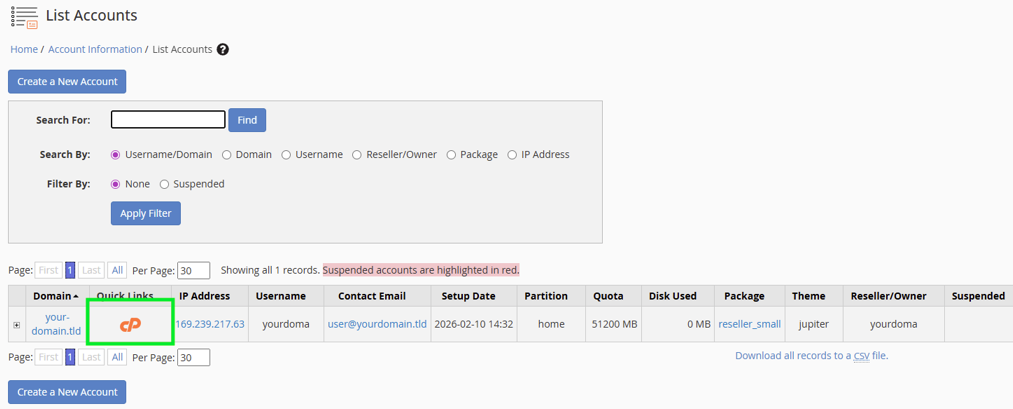
1. Login to cPanel account to install AutoSSL.
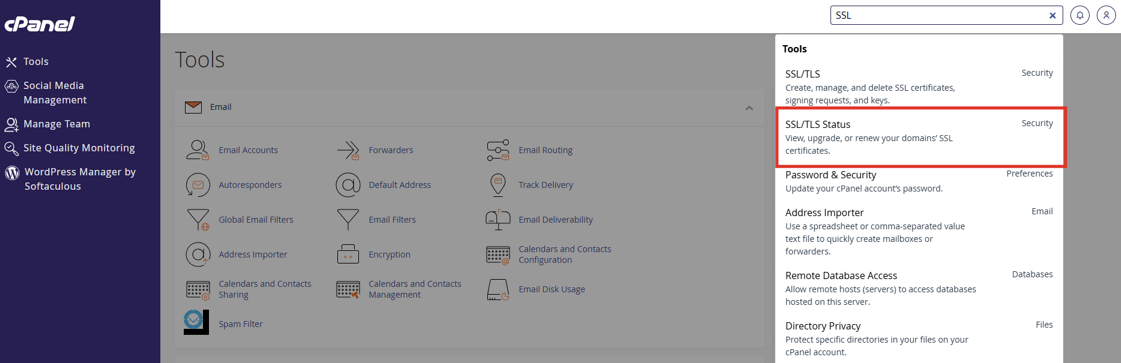
2. Search or select SSL/TLS Status.
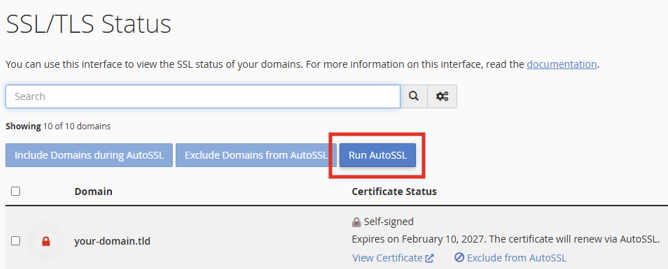
3. Click Run AutoSSL and the SSL will install. Should it not install, then it will provide an error description,
4. If you have any further questions or need any assistance, please don’t hesitate to contact our Support team by Opening a Support Ticket or calling us on 0861 100 698.


