



What Is A DDoS Attack And How Can It Be Prevented?
A Distributed Denial of Service (DDoS) attack can make your website slow at best ,or completely unreachable at worst. That means poor user experiences, lost traffic, and missed sales. The good news is that you can prevent falling victim to them with the right Domain Protection and web hosting security in place. The right setup helps reduce the chances of downtime and slowdowns and keeps your site available to real visitors. This article explains what DDoS attacks are and how they work. We’ll also show you why they can be such a threat to both your business and data, and what you can do to help keep your domain and website up and responsive.
KEY TAKEAWAYS
- DDoS attacks flood websites, servers, or networks with harmful traffic so real visitors can’t access them.
- A DDoS attack works by sending more requests than a site, server, or DNS can handle.
- Downtime and slow loading speeds caused by DDoS can harm visitor trust and conversions
- Large-scale DDoS attacks show how quickly hosting, networks, and websites can be disrupted at the same time.
- You can’t always stop attackers from trying, but you can reduce the chance of downtime with layered protection.
- Domains.co.za Domain Protection helps secure your domain, improve DNS resilience, and reduce the impact of harmful traffic and bot attacks.
TABLE OF CONTENTS
What is a DDoS Attack?
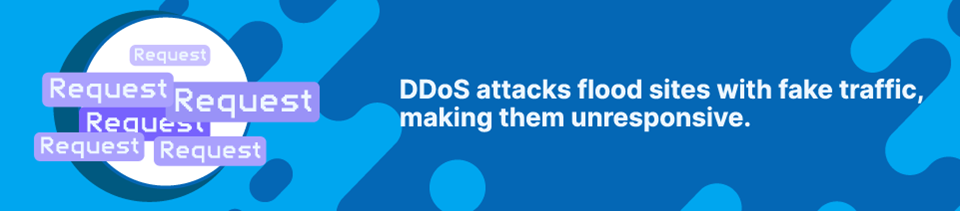
A Denial of Service (DoS) attack is a type of cyberattack in which a website, server, network, or DNS (Domain Name System) service is flooded with a massive amount of fake traffic. Unlike viruses or phishing, the goal is to make the target so busy dealing with fake requests, that it chews up resources and struggles to either respond or just simply cannot. It doesn’t need to break into your site; instead, it tries to overwhelm it and bring it down.
Because it happens on the server level, it leaves real visitors wondering why a site loads so slowly or at all.
A standard DoS attack uses a single source to send harmful traffic. DDoS (Distributed Denial of Service) attacks take the same principle to another level using multiple sources.
This distributed (hence the name) approach makes DDoS attacks harder to block and trace than the aforementioned single-source DoS version.
How Does a DDoS Attack Work?
Most of the time, how DDoS works is by using a botnet, a network of hacked or malware-infected computers, routers, servers, or other connected IoT (Internet of Things) devices. In theory, your smart fridge could be a source and plotting against you as we speak.
The attacker coordinates the bots across multiple locations and IP addresses, unleashing them simultaneously and wreaking havoc. More than ever, as are so many types of AI cyberattacks, DDoS attempts are getting the automation treatment, making them bigger, faster, and harder to stop.
Every website has limits. A server can only process a certain number of requests at a time. The network can handle a certain amount of bandwidth. Your DNS server can respond to a certain number of queries. DDoS attacks push them way beyond their limits, meaning real visitors start running into problems like:
- Slow-loading pages.
- Requests not being returned.
- Error messages.
- Broken features and checkouts.
- Failed logins.
- A site that’s completely offline.
Common Types of DDoS Attacks
Sometimes the harmful traffic is obviously suspicious, while in other cases it is harder to spot because requests can seem like normal visitor behaviour. The exact method depends on the type of attack being used. That said, the result is pretty much the same.
Volumetric Attacks
Volumetric attacks take a brute-force approach, aiming to use up as much available bandwidth as possible so legitimate visitors can’t get through.
This is one of the most common types of DDoS attacks because it uses sheer volume to send a wall of traffic that blocks access or causes a crash. Thankfully, they are also generally easier to spot, filter, and mitigate.
Application-Layer Attacks
Application-layer attacks are more of a surgical strike. Instead of just flooding a website, they mimic human behaviour, for example, refreshing pages, searching databases, or trying to login to accounts thousands of times a second.
Because these requests look “normal” to the server, it processes them as such, burning through CPU and RAM allocations until they hit their limit. It effectively turns your website’s features against it.
They can be especially frustrating because they don’t always involve volume. A smaller number of targeted requests can still cause serious performance problems if they hit resource-heavy parts of a website. At the same time, they are harder to filter and block without accidentally cutting off real visitors.
DNS-Based Attacks
The third attack type targets your domain. When you register a domain name, the DNS connects it to your web server’s IP address, a process called resolving. When someone types your domain into their browser, DNS sends them to the correct website.
If your DNS server is compromised or overwhelmed, your domain can’t resolve properly, and visitors won’t be able to reach your website at all, even if your server is online and working as normal.
A successful DNS attack effectively hides your website from the entire internet without even touching your hosting server.
Why DDoS Attacks are Such a Threat
A DDoS attack doesn’t need to steal data to cause damage. For many people, the biggest mistake is thinking security only matters when files and data are at risk. Protecting sensitive information is non-negotiable but keeping your business online matters just as much. If your site can’t load, your customers can’t browse and buy.
Take Your Website Offline
The most obvious threat is taking your website down.
People expect instant loading and 24/7 availability. If your site is slow or unavailable due to a DDoS attack, visitors generally wouldn’t know that is what’s causing the problem. Most of the time, they assume something is wrong with your business. This means they could potentially go to a competitor and not return.
Affect Services Tied to Your Domain
Your domain name does more than point people to your website. It’s tied to your email, accounts, applications, payment systems, and third-party services.
If the DNS service can’t resolve your domain name, it doesn’t matter that your server is perfectly healthy; your website can’t be found. The impact can go beyond your visitors struggling to reach your pages and complete purchases.
On your side, you will struggle to send and receive emails (your email depends on DNS records). It can cause services linked to your domain to time out or not process payments. You might also find yourself locked out of your own admin accounts and dashboards because your domain can’t be authenticated.
Cause Collateral Damage
You don’t have to be the main target to be affected. In large-scale attacks, your site is collateral damage. If attackers target a hosting provider, a DNS service, or a network, the websites connected to that infrastructure can suffer from slow loading times and/or downtime.
The South African DDoS incidents in May 2026, which we’ll get into shortly, showed just how a big enough attack can create a lot of problems for a lot of people.
Used as a Distraction
Sometimes a DDoS attack is the main event. Other times, it’s a distraction to draw your attention away from something sinister happening elsewhere on your site.
While you’re scrambling to get backup, attackers may send phishing emails to your customers, break into your accounts, make unauthorized domain transfers, or embed malicious scripts or links.
DDoS Attacks in South Africa
South Africans had a harsh reminder of just how much of a problem DDoS attacks can be for both businesses and regular internet users in May 2026.
Several local web hosting providers, ISPs, and even Seacom (the undersea cable operator) were hit by massive waves of junk traffic in a coordinated DDoS attack. As you can imagine, or experienced yourself, the result was connectivity issues, interrupted online services, and slowed down or completely crashed websites.
In addition to the massive size, there were also a variety of sophisticated methods used that kept security and support teams very busy, including:
Carpet Bombing
Small amounts of traffic are spread out over multiple different IP addresses, rather than just one. By keeping the traffic at each address low, they can avoid triggering security alerts that watch for big spikes in a single location.
IP Fragmentation
Incomplete or malformed data packets are sent to the target. The server then uses up its memory and processing resources trying to piece together the fragments, causing it to crash or slow down.
DNS Amplification
Attackers send small requests to DNS servers while hiding their source, making the replies go to the target instead. These replies are much larger than the original requests, allowing the attacker to flood the victim with a huge amount of data.
How to Stop DDoS Attacks
Once your site gets hit, you are already racing against time. As with most cyber threats in South Africa (and the rest of the world), prevention is better than a cure. This means you need to have protection in place before malicious traffic reaches your domain or website. When it comes to how to stop DDoS attacks, you need a layered approach.
DNS Server Protection
If your DNS service goes down, visitors won’t be able to reach your site at all. Rather than relying on a single DNS server in one location, Anycast DNS distributes requests across multiple locations. If an attack targets one server or if it goes offline, traffic is automatically rerouted to the next closest healthy location.
This way, your domain is harder to hit, and people browsing your site won’t have to wait ages for pages to load or run into error messages.
Monitoring and Filtering
You should know what your website’s regular traffic looks like because unusual activity is often one of the first warning signs. Here’s what to look out for:
- Sudden unexplained spikes.
- Repeated requests to the same page.
- Traffic from strange locations.
- Multiple failed login attempts.
- Slow response times.
- Regular timeout errors.
- Increased server resource use.
Monitoring helps you respond faster and understand whether the issue is normal traffic (good), a technical problem (fixable), or a possible attack (bad).
Automated tools can monitor traffic patterns to help you spot suspicious behaviour like AI crawlers making too many requests. Bot filtering, rate limiting, and firewalls can help separate real visitors from the fakes and block them.
Finally, regularly update all software. Many DDoS attacks exploit known vulnerabilities that can be fixed with a simple patch.
You can’t always stop attackers from trying. But knowing what to do during a DDoS attack helps reduce the chances of one taking your site offline.
How Domains.co.za Helps Protect Your Domain and Website
Your website is only when people can reach it. That sounds obvious, but it is easy to focus only on design and content while forgetting the infrastructure that keeps everything accessible.
DoS attacks don’t need your password or to break into your site. They just need to send enough traffic to place enough strain on it.
Domains.co.za’s Domain Protection is designed to reduce the chances of harmful traffic and bot attacks hitting your domain and website, keeping them up and performing.
Anycast DNS
DNS is one of the most important parts of website availability. If your domain doesn’t resolve, visitors can’t find your site. Without the right protection in place, malicious bots and traffic can flood your DNS server.
Domain Protection includes Anycast DNS across 62 locations, so your domain doesn’t rely on a single server. This helps prevent DDoS attacks by spreading harmful traffic across multiple locations, preventing your site from slowing down or going offline.
It also routes DNS queries to the nearest available server, improving responsiveness, performance, and uptime.
Stop Unauthorised Changes
Domain protection isn’t just about traffic. If attackers get to your domain’s settings, they can try changing your nameservers, redirecting traffic, or hijacking the domain completely.
A Domain Transfer Lock and Two-Factor Authentication (2FA) help stop unauthorised changes, illegal transfers, and domain hijacking. It also gives you more control over changes that could affect where your website points or how your domain works.
DNSSEC Support
DNSSEC (Domain Name System Security Extensions) adds another layer of protection by helping prevent tampering and ensuring that visitors are directed to the correct page rather than a fake or harmful site.
Domains.co.za Domain Protection brings these together in one place, helping protect your domain from downtime, theft, DDoS attacks, and malicious bot traffic.
![Strip Banner - Keep your Domain and Site Safe with Domain Protection [Learn More]](https://www.domains.co.za/blog/wp-content/uploads/2026/06/ddos-attacks-04.webp "Strip Banner -Keep your Domain and Site Safe with Domain Protection [Learn More]")
How to Install a Free SSL Certificate
VIDEO:How to Install a Free SSL Certificate
FAQS
What is a DDoS attack?
A DDoS attack is when attackers flood a website, server, network, or DNS service with too much traffic. The goal is to overload the system so real people visitors cannot access it. Unlike a standard DoS attack, a DDoS attack uses multiple sources simultaneously.
Can a DDoS attack hack my website?
A DDoS attack does not usually hack into your website or steal data directly. Its main goal is to disrupt access by overwhelming your systems with traffic. However, it can be used alongside other attacks, which is why domain security, 2FA, updates, and monitoring are still important.
How do I know if my website is under a DDoS attack?
Common signs include sudden traffic spikes, slow-loading pages, timeout errors, server crashes, repeated requests for the same pages, and users being unable to access your site. Your hosting provider may also detect unusual traffic patterns or resource usage linked to a possible attack.
Can DDoS attacks be prevented completely?
No, provider can stop attackers from attempting a DDoS attack. However, DDoS protection, Anycast DNS, bot filtering, monitoring, and secure hosting can reduce the impact. The goal is to absorb, filter, and route harmful traffic so your website stays available to real people.
How does Domains.co.za help protect against DDoS attacks?
Domains.co.za Domain Protection includes DDoS and botnet protection, DDoS Protected DNS, and Anycast DNS across 62 locations. These features help spread harmful traffic, improve DNS reliability, and reduce downtime risk. It also includes WHOIS Privacy, Domain Transfer Lock, 2FA on updates, and DNSSEC support.
Other Blogs of Interest
- AI Cyber Attacks: The Halloween Edition
- The Difference between a Domain – Organisation and Extended Validated SSL Certificate
- SSL Certificate Meaning Unpacked: What Is It and Which Type Is Best for Your Website
- Domains.co.za Launches Complete Domain Protection Package To Safeguard And Boost Domain Performance
- The Importance Of Website Maintenance

Rhett isn’t just a writer at Domains.co.za – he’s our resident WordPress content guru. With over 8 years of experience as a content writer, with a background in copywriting, journalism, research, and SEO, and a passion for websites.
Rhett authors informative blogs and articles that simplify the complexities of WordPress, website builders, domains, and cPanel hosting. Rhett’s clear explanations and practical tips provide valuable resources for anyone wanting to own and build a website. Just don’t ask him about coding before he’s had coffee.