


Understanding what is DNS and how it operates can help website owners manage their domains more effectively, troubleshoot website or email issues, and configure hosting services correctly.
The Domain Name System (DNS) is one of the most important technologies that power the internet. Every website, email service, and online platform depends on DNS to connect users to the correct server quickly and efficiently. Without DNS, users would need to remember complex numerical IP addresses instead of simple domain names like “domains.co.za”.
DNS acts as the internet’s directory service by translating human-friendly domain names into machine-readable IP addresses. Whenever someone visits a website, sends an email, or connects to an online service, DNS records work behind the scenes to direct traffic to the correct destination.
TABLE OF CONTENTS
What is DNS?
Every device connected to the internet has a unique IP (Internet Protocol) address. These addresses consist of numbers and are used by computers and servers to communicate with one another.
Because numerical addresses are difficult to remember, domain names were created to simplify internet navigation. DNS automatically converts domain names into their corresponding IP addresses whenever a user enters a website address into their browser.
For example, instead of remembering a server IP address, users merely type a domain name into their browser, and DNS handles the connection process within milliseconds.
Where is DNS Stored?
DNS isn’t stored in a single location. It is a globally distributed system made up of thousands of global servers that constantly communicate with one another.
These DNS servers provide redundancy and reliability, ensuring websites remain accessible even if one server is unavailable. This distributed structure allows the internet to operate efficiently and continuously.
How DNS Works
1. Open your web browser and type a domain name into the address bar.
2. Your device sends a DNS request to a DNS resolver.
3. The DNS resolver contacts a root nameserver to locate the correct Top Level Domain (TLD), such as .com, .co.za, or .org.
4. The TLD nameserver responds with the authoritative nameserver for the domain.
5. The authoritative nameserver returns the correct IP address for the website.
6. Your browser connects to the server using the IP address and loads the website.
7. Your device temporarily stores the DNS information in its cache to speed up future visits.
International Registries
Several international organisations manage and maintain Top Level Domains (TLDs) across the internet. These registries operate under policies established by ICANN.
Some well-known registries include:
- Verisign – Manages the .com and .net extensions.
- Public Interest Registry (PIR) – Oversees the .org extension.
- GoDaddy Registry – Operates various TLDs, including .biz and .us.
- CentralNic – Manages a wide range of domain extensions.
- Identity Digital – Operates multiple modern TLDs.
- Afilias – Manages several domain extensions including .info.
Additional Information
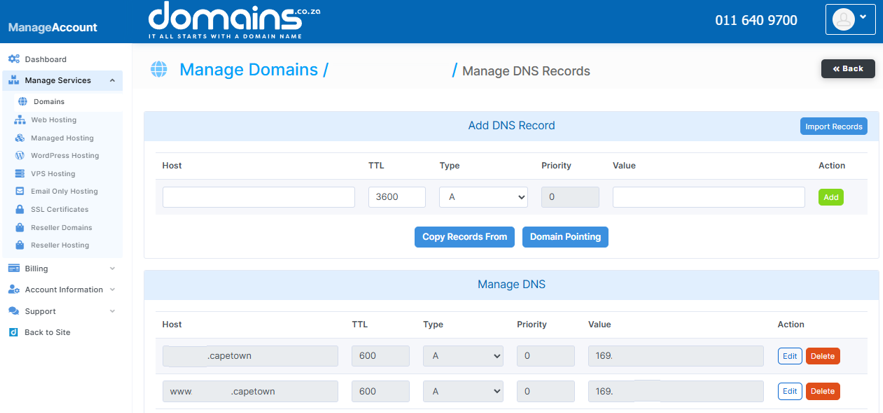
- DNS records can take time to update globally due to DNS propagation, which may take between a few minutes and 48 hours.
- DNS caching helps websites load faster by temporarily storing DNS information on devices and servers.
- Incorrect DNS settings can cause websites, email services, or subdomains to become inaccessible.
- DNS records commonly include A, AAAA, MX, TXT, CNAME, and SRV records, each serving a different purpose.
- DNS security features like DNSSEC help protect domains against spoofing and malicious attacks.
- Many hosting and email issues can often be traced back to incorrect DNS configurations.
- Updating nameservers changes where your DNS zone is managed might affect website and email services.
- DNS is essential for website hosting, email delivery, online applications, and cloud-based services.
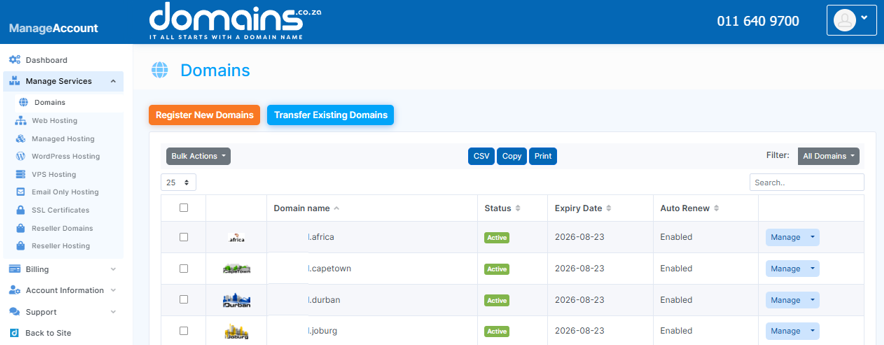
Login to Domains.co.za Account
1. Go to the Domains.co.za website Account Login page.

2. Enter your Email and Password and click the Sign In button.
3. You will see the Domains.co.za Dashboard, displaying the Manage Account menu on the left and your Account Information, Account Overview and Open Support Tickets on the right.


