Category: WordPress Hosting

Header Text: Delete a Theme in WordPress Before It Causes Trouble

Deleting Unused WordPress Themes Keeps Your Website Cleaner, Safer, And Easier To Manage

Every WordPress site collects themes over time. You try one, switch to another, test a third for a project, and the old ones just stay there. They don’t vanish. They sit on your server, adding clutter, inflating your backups, and, if they’re outdated, quietly becoming a security risk. This guide shows you how to properly delete a theme in WordPress. You are given four methods to remove one, plus the checks to run before and after so nothing breaks. All you need is admin access and at least one working theme installed. KEY TAKEAWAYS Inactive themes still pose security risks and add clutter. Back up your files and database before deleting anything. Never delete the active theme or a parent theme that’s in use. There are four m […]

Header Text: Your WordPress Header Is Costing You Customers. Here's How To Fix It!

Your WordPress Header Does More Than Sit At The Top Of The Page

Your website’s header is the first thing visitors see, and usually the first item they use. In a few seconds, it tells them who you are and points them in the direction they want to go. That’s a big job for a strip of space at the top of the page. When it is clear, people move through your site with ease, but when it’s cluttered, many give up and head back to their search results. This guide explains what a WordPress header is and why it matters for your branding and conversions. You’ll also find three ways to edit your header in WordPress, and which choices help South African customers reach you faster. KEY TAKEAWAYS Your header is the first thing visitors see and use. It shapes their impression in seconds. A good header […]

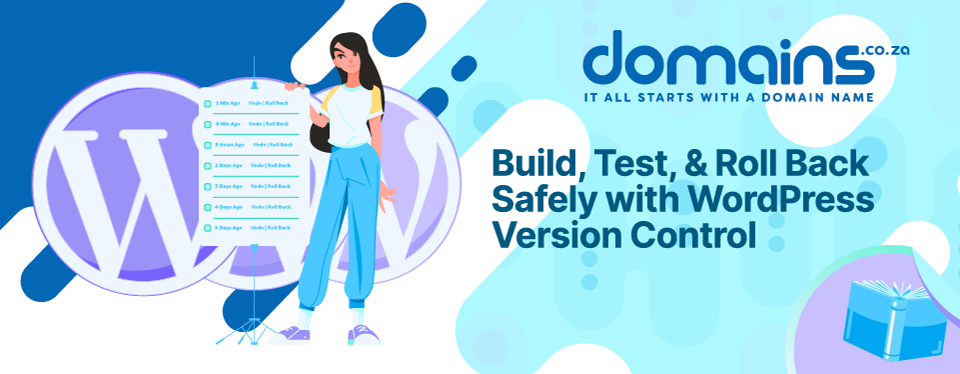
Header Text: Build, Test, & Roll Back Safely with WordPress Version Control

WordPress Version Control Helps Teams Build, Test, & Recover With Less Risk

WordPress sites change fast. You update a theme, add a plugin, or tweak some code, and most of the time it works. But one small change on a live site can break a page, a checkout, or a contact form without warning. When that happens, you need a quick way to see what changed and undo it. This is what WordPress version control is for. It tracks every change to your site’s code, so your team can review edits, collaborate without conflicts, and return to a version that worked. This guide explains version control, how it differs from backups and revisions, and which tools to use. You also receive step-by-step instructions for Git, WP Pusher, and WP Rollback. KEY TAKEAWAYS Version control tracks code changes and enables quick roll […]

Header Text: Why WordPress Debug Mode? Every WordPress Error Leaves a Trail

WordPress Debug Mode Turns Hidden Website Errors Into Useful Diagnostic Evidence

When a WordPress site breaks, it rarely tells you why. All you receive is a white screen, a checkout that stalls at payment, a contact form that quietly stops sending. You can see something is wrong, but not what caused it. That’s where WordPressDebug Mode assists. It’s a built-in tool that turns silent failures into readable evidence by recording the errors, warnings, and file paths behind a problem, so you can troubleshoot WordPress with facts rather than guesswork. This guide shows you what Debug Mode can do, how to switch it on without showing errors to visitors, and how to safely read its log to trace faults across plugins, themes, PHP, and databases, even on a live site or store. It’s written for developers, agencies, […]

Header Text: Choose, Install, & Customise Your WordPress Theme

Your WordPress Theme Shapes How Customers Experience Your Website

This guide explains everything about how to install WordPress Theme, choosing, and setting it up with confidence. It’s written for South African business owners, bloggers, online store owners, agencies, and anyone new to WordPress. Your WordPress theme does far more than make your website look good. It decides how your pages are laid out, how fast they load, how easy your site is to use, and how much visitors trust you. For a small business, this can be the difference between a customer who enquires and one who leaves. KEY TAKEAWAYS A theme affects far more than appearance, shaping speed, mobile experience, trust, and conversions. You can install a theme three ways: through the WordPress Theme Directory, a manual .zip upload […]

Header Text: 4 Ways to Create a High-Converting WordPress Landing Page

A Better WordPress Landing Page Can Turn More Visitors nto Enquiries, Leads, & Sales

Many South African businesses spend real money on Google Ads, WhatsApp campaigns, and social media posts, instead of sending all that traffic to their homepage or a general service page. Those pages weren’t built to convert; they are built for browsing. A visitor who clicks your ad and lands on a page full of menus, links, and competing messages is far less likely to take the action you want. A WordPress landing page solves that. It offers your campaign traffic a single, focused destination and a clear action to take. This guide explains what a good landing page looks like, how to build one in WordPress, and what South African businesses specifically need to consider before sending traffic to it. KEY TAKEAWAYS A WordPress la […]

Header Text: Malware Costs You Customers. Fix It the Right Way.

A Malware-Infected WordPress Site Can Put Your Customers, Rankings, & Business At Risk

A hacked WordPress site rarely announces itself. The dashboard still opens, and pages keep loading. Meanwhile, hidden code can redirect your customers, steal form data, or flood Google with spam pages in your name. For a South African business, that damage is commercial before it’s technical. A compromised site turns visitors away, breaks the quote form or checkout that earns revenue, and undoes years of rankings and trust. Recovery takes time and money, and some of the harm is hard to reverse. This guide explains WordPress malware, how it gets in, and how to detect and remove it safely. You also learn why a backup restore often fails, how to recover your search visibility, and how to stop reinfection. KEY TAKEAWAYS A compro […]

Header Text: WordPress Multisite Setup: Genius or Risky?

WordPress Multisite Can Simplify Multi-Website Management, But It’s Not For Every Project

Running one WordPress site is simple enough. However, running five, 10, or 20 is a different story. Every site needs its own updates, logins, backups, and security checks. That workload adds up fast, and it’s easy to fall behind. WordPress multisite offers a way out. It allows you to run many websites from a single WordPress install and one dashboard. This sounds ideal, but it isn’t the right fit for every project. This guide explains a full WordPress multisite setup in a practical way. You’ll learn what it is, when it helps, when it harms, and what your hosting needs to handle it. By the end, you’ll know whether a network suits your business or whether separate sites are the safer call. KEY TAKEAWAYS WordPress multisite set […]

Header Text: Enable WordPress Error Logs, Read Them, & Fix Issues

WordPress Error Logs Help You Find Problems Before They Become Bigger Website Issues

Most WordPress problems don’t start with a crash. They start quietly, as a small warning tucked away in the background, long before your site shows any visible sign of trouble. By the time a visitor sees a broken page or a blank screen, the real issue has often been sitting there for days. This is where WordPress error logs come in. They record these early warnings, giving you a way to catch a problem before it grows into something bigger. This guide explains error logs, why they matter, and how to read one without feeling lost. KEY TAKEAWAYS Error logs record technical issues from WordPress, plugins, themes, PHP, and the server. Debug mode must be enabled for WordPress to write to the log. Logging errors is safer than displ […]

Header Text: 7 Easy Ways to Fix the WordPress 500 Error That Could Be Costing You Sales Right Now

A WordPress 500 Internal Server Error Can Cost You More Than A Broken Page

It’s a regular Tuesday morning until a customer tries to open your site and sees the WordPress 500 Internal Server Error page instead. There are no product photos, there is no booking form, or a way to get in touch. You check the site yourself and get the same error with no explanation. It just appears, often when someone is ready to buy or book. For a small business, that’s a lost lead. In this guide we show you: The common causes of this error. Methods to fix it. How to stop it from happening again. KEY TAKEAWAYS A WordPress 500 Internal Server Error is a generic server-side issue with no single fixed cause. Common triggers include plugin conflicts, theme issues, a corrupted .htaccess file, and low PHP memory. Downtime can […]