


This guide explains what a web server is, and how to locate your server information within your Domains.co.za hosting account.
A web server is the physical or virtual server responsible for storing and delivering your website content to visitors across the Internet. Every website hosted online relies on a web server to process requests and display webpages, images, databases, and other website resources.
Understanding where your web server is located and how to identify it can assist with troubleshooting, DNS management, email configuration, and website performance optimisation.
Your hosting server handles:
- Website file storage.
- Database processing.
- Email hosting.
- DNS services.
- Website traffic requests.
Server information is typically available within cPanel and may include:
- Server hostname.
- Shared IP address.
- Operating system.
- PHP version.
- Server software.
TABLE OF CONTENTS
How to Find Your Web Server Information in cPanel
1. Login to the Domains.co.za Customer Portal using your account credentials.
2. Open the Manage Services dropdown menu from the main dashboard navigation.
3. Select Web Hosting from the available service options.
4. Locate the hosting package linked to your domain name and click Manage.
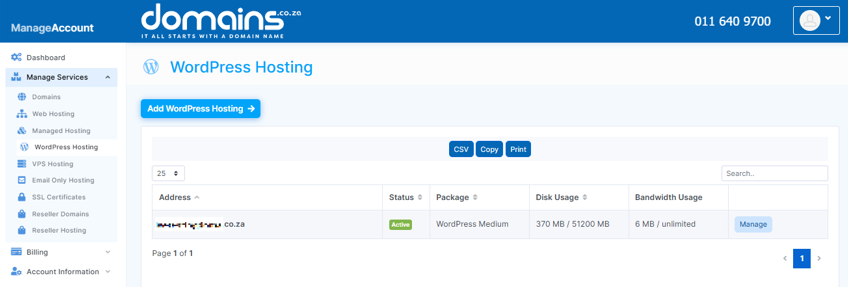
5. Click Login next to Control Panel to access cPanel.

6. Locate the General Information section on the right-hand side of the cPanel dashboard.
7. Review the displayed server details, including the server name and shared IP address.
8. Use the provided server information for DNS updates, troubleshooting, or support queries if required.
Additional Information
- A web server stores and delivers website files to internet users.
- Shared hosting servers host multiple websites on the same server infrastructure.
- Server location can influence website loading speeds for visitors in different regions.
- Hosting servers include software such as Apache, LiteSpeed web caching, or NGINX to process website requests.
- Server IP addresses are commonly used for DNS configuration and troubleshooting.
- Server information may change during migrations or infrastructure upgrades.
- Secure hosting environments include firewall and DDoS protection features.
- Monitoring server resource usage can help improve website performance.
Login to Domains.co.za Account
1. Go to the Domains.co.za website Account Login page.

2. Enter your Email and Password and click the Sign In button.
3. You will see the Domains.co.za Dashboard, displaying the Manage Account menu on the left and your Account Information, Account Overview and Open Support Tickets on the right.


