





Your WordPress website title and tagline are important elements of your site’s identity. The title represents your website or business name, while the tagline provides a short description of your website’s purpose, services, or message.
A well-written title and tagline help visitors understand your website quickly and can improve search engine visibility. These details are often displayed in browser tabs, search engine results, and within website themes.
This guide explains how to change the title and tagline on your WordPress website.
TABLE OF CONTENTS
How To Change The Title And Tagline
Method 1: Change the Title & Tagline Using Appearance Settings
1. Login to the Domains.co.za Customer Portal using your account credentials.
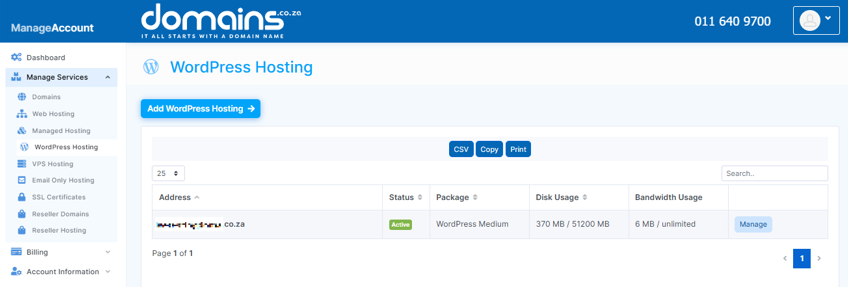
2. Navigate to Manage Services from the dashboard menu.
3. Select your WordPress Hosting package and click Manage.
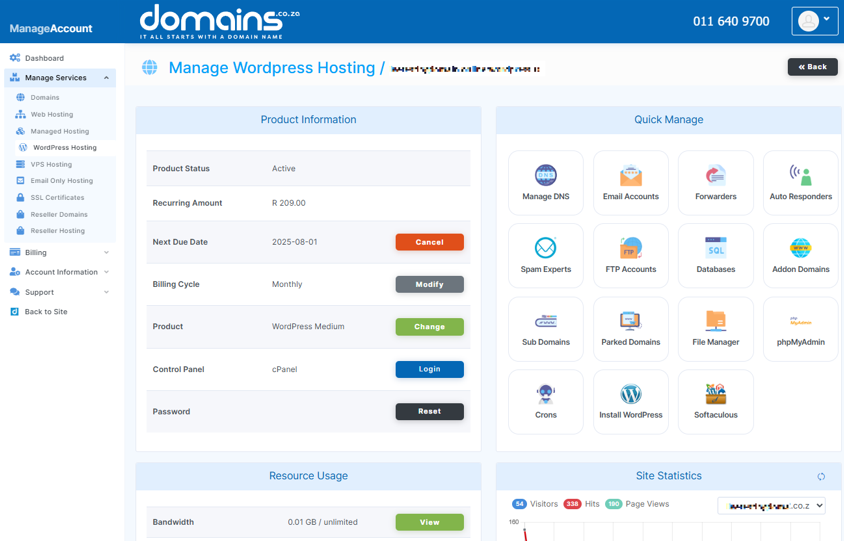
4. Click Login to cPanel to access your hosting control panel.
5. Open your WordPress Dashboard from the WordPress Manager.
6. In the WordPress menu, click Appearance, then select Customize.
7. Click Site Identity from the customisation menu.
8. Enter your new website title and tagline in the provided fields.
9. Preview the changes to confirm they display correctly.
10. Click Publish to save the changes.
Method 2: Change the Title & Tagline Using General Settings
1. Login to your WordPress Dashboard.
2. Navigate to Settings and select General.
3. Locate Site Title and Tagline fields.
4. Enter your updated title and tagline information.
5. Review the changes carefully.
6. Click Save Changes to apply the updates.
Additional Information
- The website title is commonly displayed in browser tabs and search engine results.
- A clear and relevant tagline can help visitors understand your website’s purpose immediately.
- Search engines use titles and taglines as part of SEO ranking considerations.
- Some WordPress themes allow you to hide the title and tagline visually while still retaining SEO value.
- Ideally, titles should clearly reflect your brand or business name.
- Short, memorable taglines are generally more effective for user engagement.
- Updating titles and taglines does not affect website content or functionality.
- Changes may take a few minutes to appear, depending on website caching settings.
Login to Domains.co.za Account
1. Go to the Domains.co.za website Account Login page.

2. Enter your Email and Password and click the Sign In button.
3. You will see the Domains.co.za Dashboard, displaying the Manage Account menu on the left and your Account Information, Account Overview and Open Support Tickets on the right.


